Fix them in one click. LAN Fixer maps your whole network quickly, identifies what each device actually is, and tells you in plain English what is wrong — then fixes it for you. No networking knowledge required.
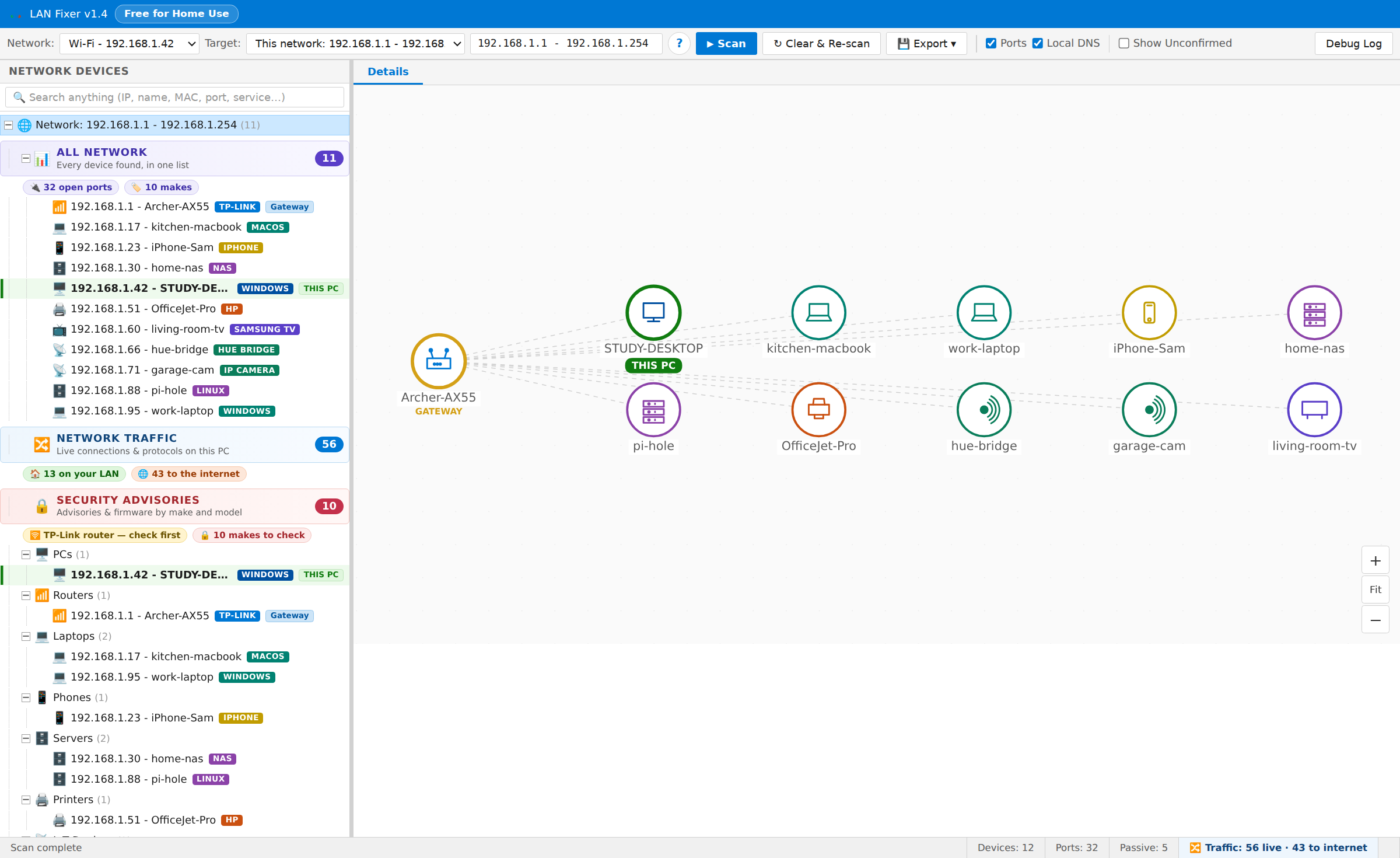
Every capture below is the real interface, rendered against a representative demo network. Every label and number is what the software actually produces.
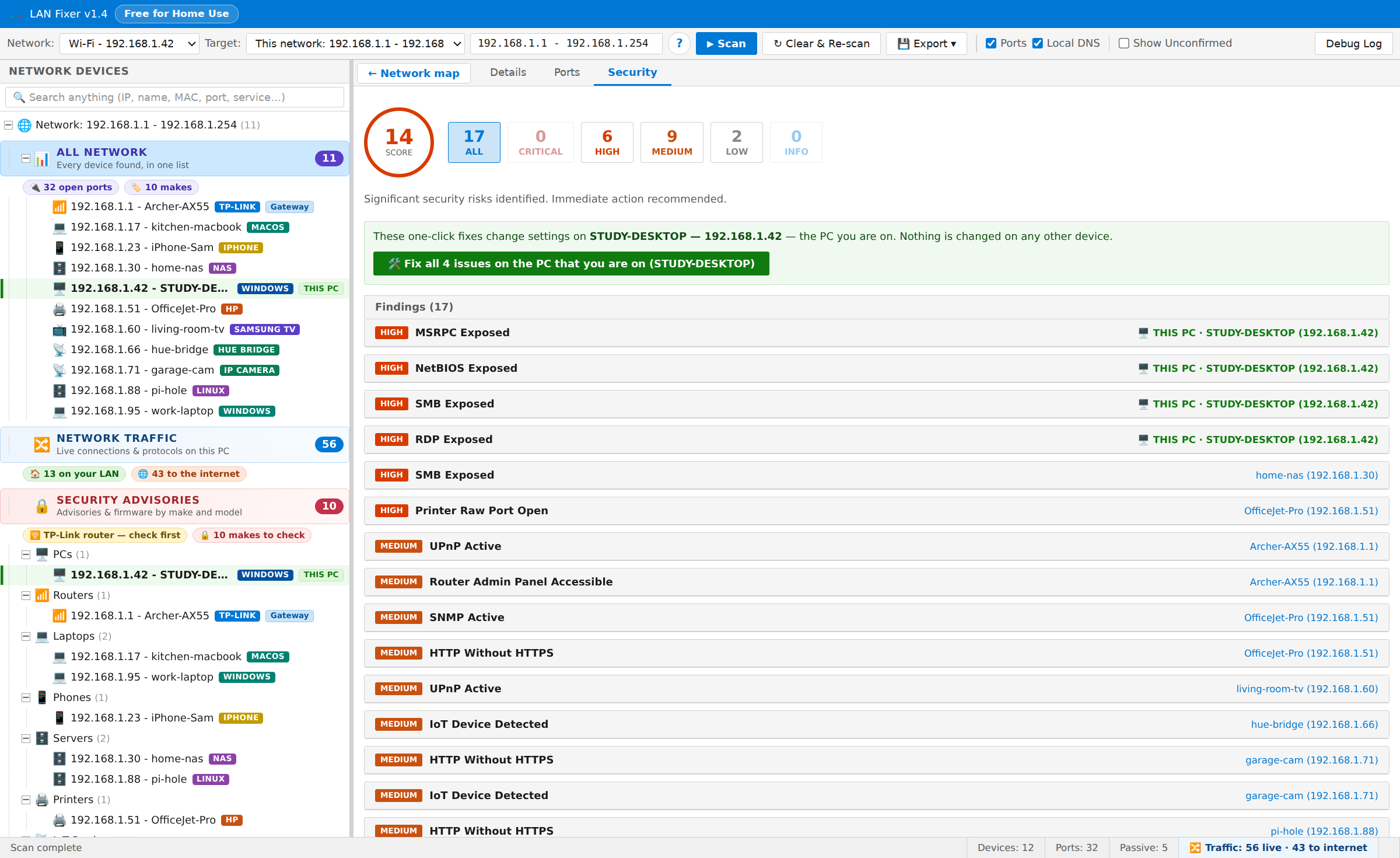
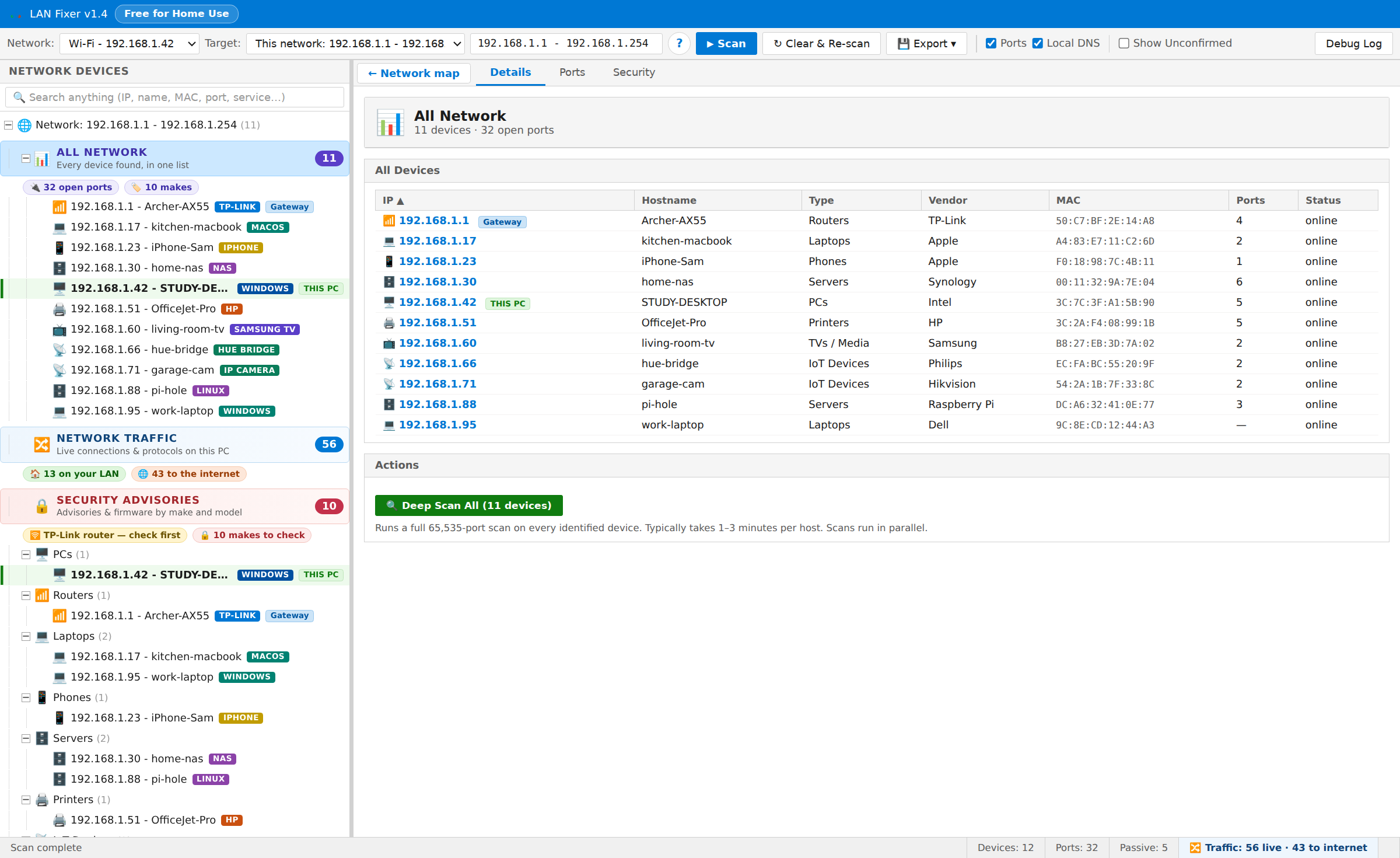
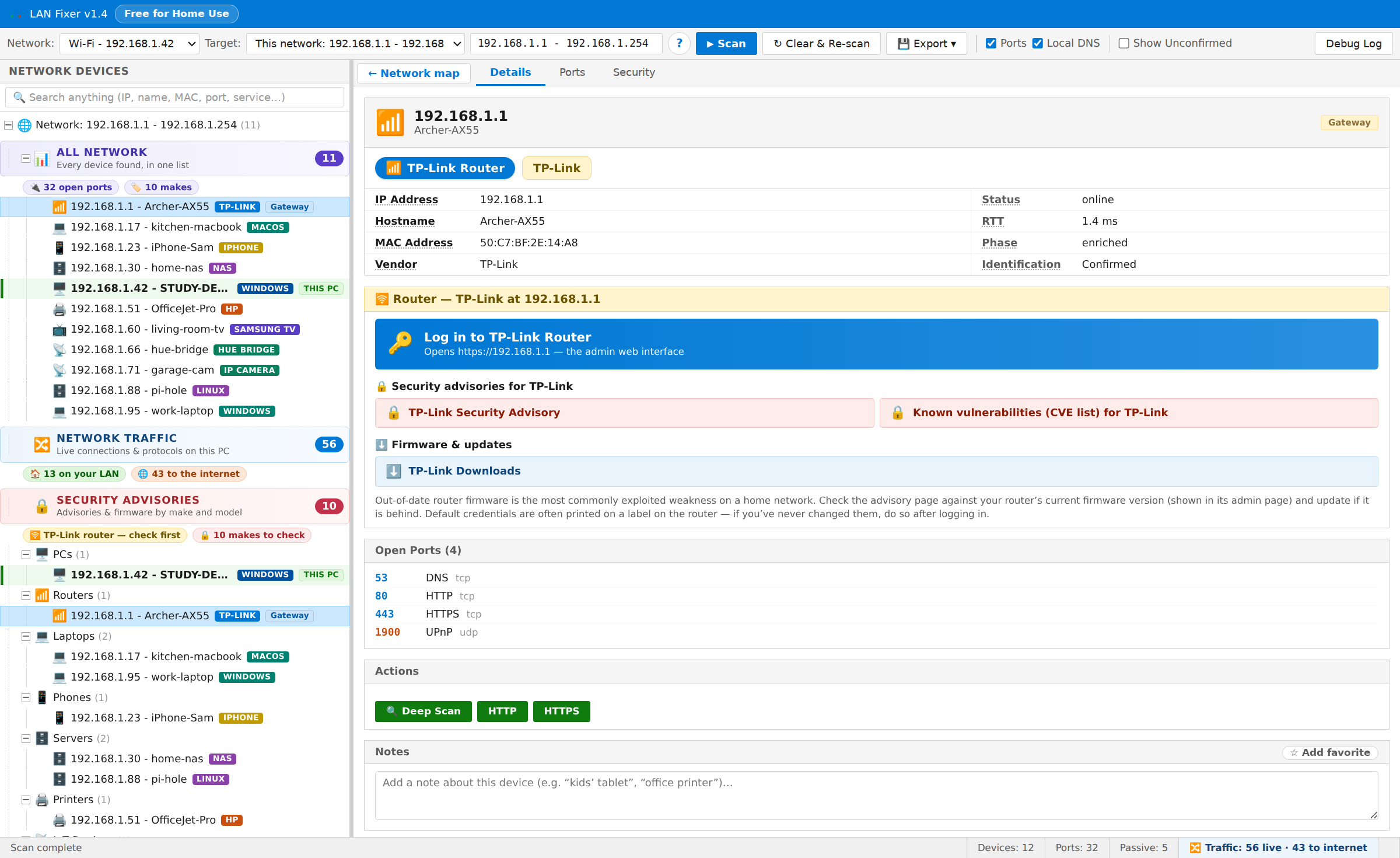
One button to scan. Everything after that is written for the person who just wants their network safe, not for a network engineer.
Press Scan. On a typical home network, the map is ready in about thirty seconds. The right interface and range are detected and pre-filled, so most people do not need to type anything.
A live, color-coded map of every device around your router, drawn as they are found. Drag to pan, hold Ctrl and scroll to zoom, click any device for its detail.
Every finding states what it is, why it matters and what to do, with severity from Critical to Info and a “what this does” note before you change anything.
39,227 manufacturer records, hostname lookup and service fingerprinting turn a column of addresses into a list of recognizable things — “office-nas · Synology · Server”.
Devices announce themselves on a network in several different ways, and LAN Fixer listens for all of them. Apple equipment, smart televisions, printers and Windows computers appear even when they do not answer a direct inquiry.
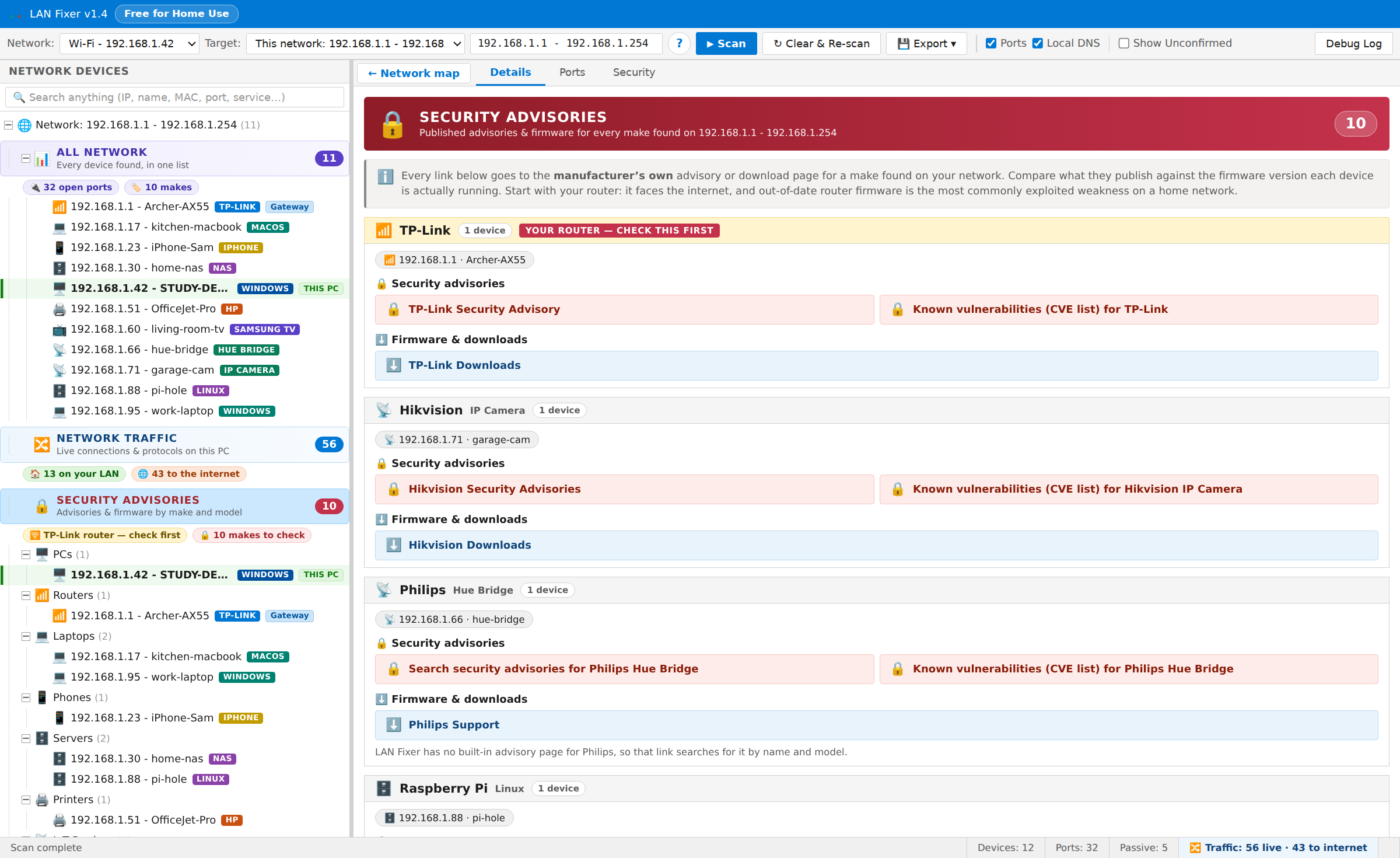
Straight to the manufacturer’s own advisory and firmware pages for the hardware actually on your network — 245 curated links across 180 brands, plus a search of published vulnerabilities for the exact make and model.
Twenty automated hardening actions for the PC LAN Fixer is running on, approved once for a whole batch rather than once per fix, and revertible from inside the app afterwards.
Twenty high-risk services are recognized the moment they are seen — remote command access, file transfer, file sharing, remote desktop, remote screen control, exposed databases and more — each one rated and explained in plain English.
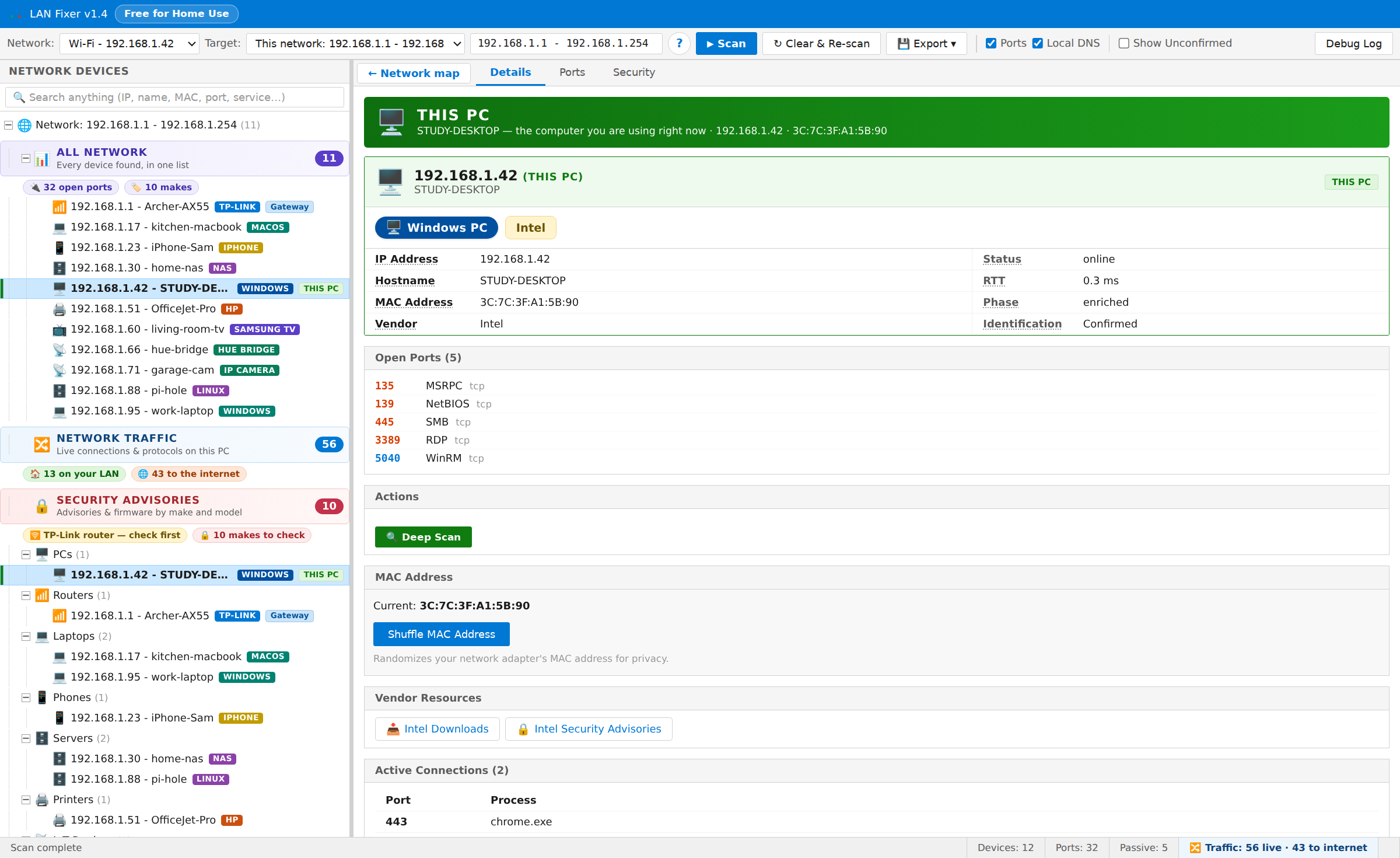
The complete picture of any device, or of every device at once, running in parallel with live progress and cancellable at any time.
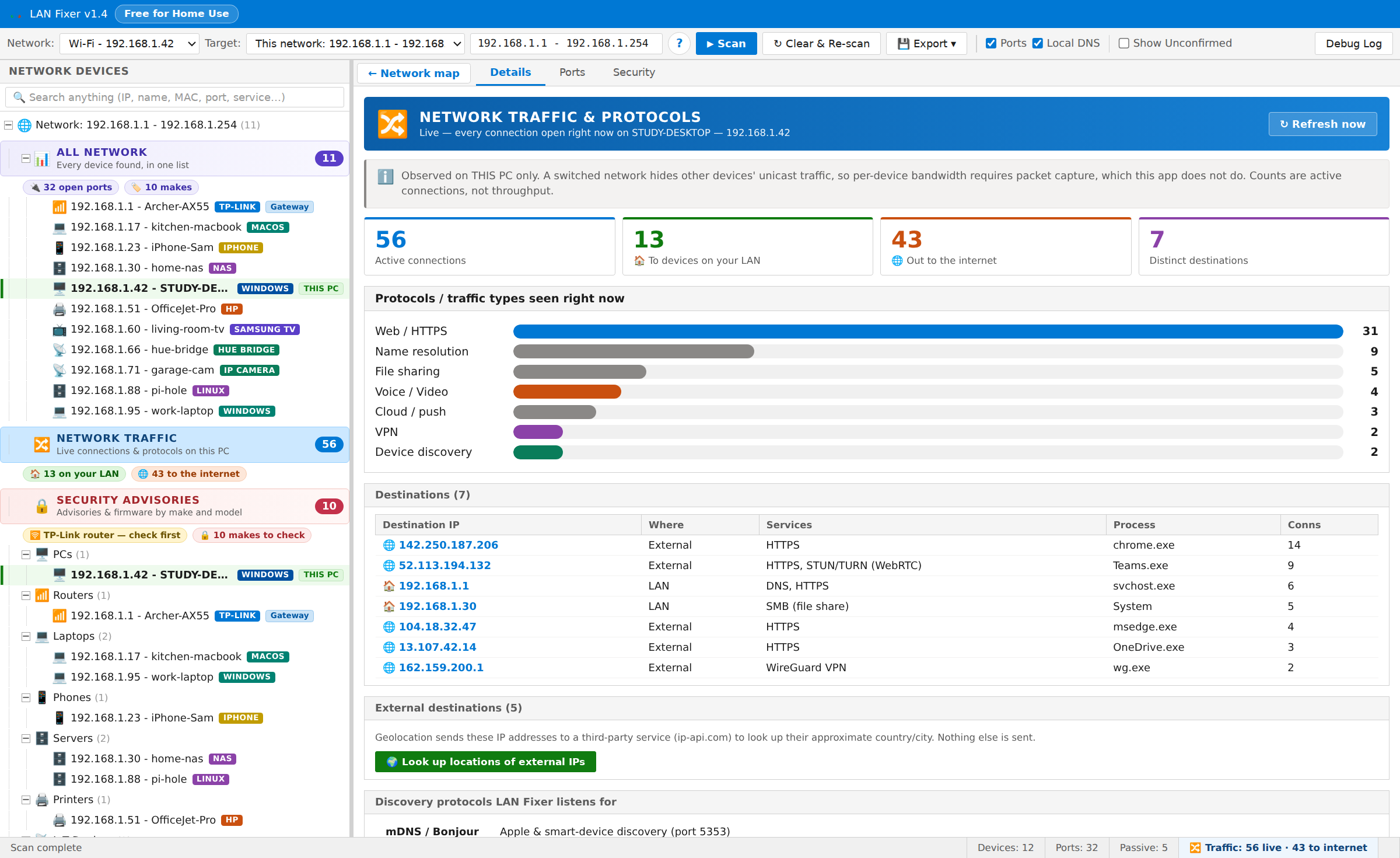
Every open connection on this PC, grouped by protocol, split between your own network and the internet, with the address, the service and the program responsible.
Log in to Router, open any device’s own web page, start a remote desktop or remote screen session, wake a sleeping computer over the network, change your hardware address for privacy, and export everything as a spreadsheet or a formatted report.
No account, no sign-up, no cloud service. The dashboard is served from your own machine, and scan results, device names and notes are not sent to us. The application goes online only for a few tasks: finding your network’s internet address, looking up published vulnerabilities and downloading the location database when you ask, and license activation and checks for organizations. The privacy notice lists each one.
Home users who want to know what is on their Wi-Fi and whether anything is exposed. Parents checking which devices are connected. Home-office and remote workers who need their own machine hardened without calling IT. Small businesses with a handful of PCs, a network drive, a printer and no full-time IT person. And the family technical-support person who wants to audit a relative’s network quickly.
LAN Fixer explains it, rates it, and offers to close it.
| LAN Fixer | Most network scanners | |
|---|---|---|
| What you get back | A picture of your network, with devices you recognize | A list of addresses |
| Open ports | Explained, rated, and closed for you on request | Assume you know what port 445 means |
| After the finding | Applies the fix, and can undo it | Stop at the finding |
| Firmware research | Straight to your router’s own advisory and firmware page | Left to you |
| Who it is built for | The person who wants their network safe | Network engineers |
| Account and cloud | Runs on your PC, no account | Frequently require both |
| Device counts | Live, passive and historical counted separately and explained | One inflated total |
Everything that shows you your network is free for personal and household use. Organizations begin with a free two-week trial.
| Organization license | Seats | Price per seat |
|---|---|---|
| Small organization | 1 to 10 | $19.99 |
| Medium-sized organization | 11 to 49 | $14.99 |
| Large organization | 50 and over | $9.99 |
Fixes on all licensed devices and email support at every tier; priority support and purchase orders from eleven seats; site-wide deployment and invoiced billing from fifty. Buy online, receive an automated invoice as a downloadable PDF, and activate immediately with your license key. · See license options and buy
Your network, finally in plain English. Install it and see what is on your network. No account, no sign-up, nothing to configure.
Each one does a single job properly, in the same plain language, under the same license, with no accounts anywhere.
Reads the drive’s own file table instead of walking folders, so the whole disk appears quickly, sorted by size. Delete, move and rename from the same window, with a running total of the space reclaimed.
Visit claimdisk.com →Reach your own PC from anywhere over a direct, encrypted channel between the two machines, using credentials you choose, with no provider or service in the middle.
Visit mypc.direct →Draws the connections your PC makes on a map of the world, shows which program made it, and lets you block an address, a region or a whole country that has no business being there.
Visit mapblocker.com →Send a file straight to someone, computer to computer, with nothing stored in between. Use it in a browser, or install the app to send much larger files.
Visit filesender.io →Hand a whole gallery of photos and videos to family directly from your computer, using one-time codes that expire on their own and can be revoked at any moment.
Visit sending.pics →Paste an email header to trace where the message really came from — every hop, by country and address — and decode what the obscure header codes actually mean.
Visit headerscanner.com →Send a private message as a link that can be opened once and then disappears.
Visit textme.im →Start a private conversation from a single link, encrypted in the browser rather than on a server, with no account and no registration for either side.
Visit instachat.im →A one-time encrypted conversation that opens from a link. No registration and no history.
Visit protected.chat →Free for personal use, all of them. Business, government and non-profit use begins with a free two-week trial.
